Welcome Page 만들기
src -> main -> resources -> templates 에서 hello.html 파일을 만듭니다.
<!DOCTYPE html>
<html lang="en">
<head>
    <meta charset="UTF-8">
    <meta http-equiv="X-UA-Compatible" content="IE=edge">
    <meta name="viewport" content="width=device-width, initial-scale=1.0">
    <title>Document</title>
</head>
<body>
Hello
<a href="/hello"> hello </a>
</body>
</html>
위 코드를 넣은 뒤 저장하고 실행시켜준 뒤 localhost:8080에 접속하면
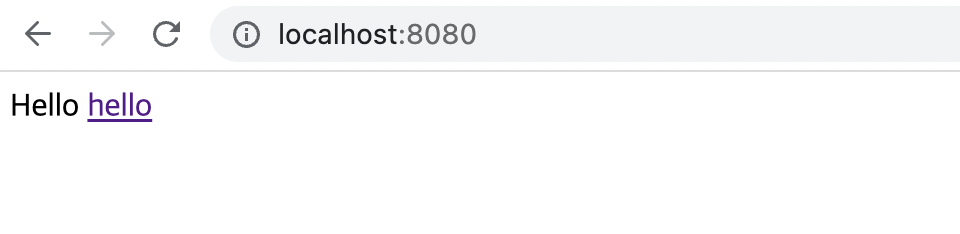
다음과 같이 잘 실행되는 것을 확인할 수 있습니다.
Welcome 페이지 예제(2)
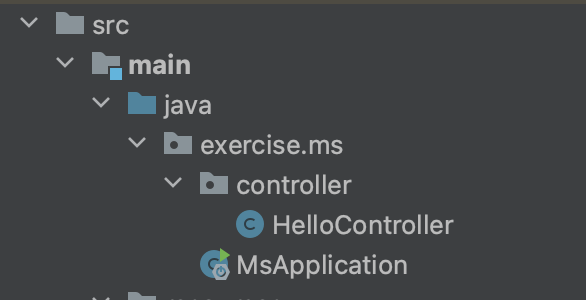
다음과 같이 controller패키지에 HelloController 클래스를 만들어 준 뒤,
package exercise.ms.controller;

import org.springframework.stereotype.Controller;
import org.springframework.ui.Model;
import org.springframework.web.bind.annotation.GetMapping;

@Controller
public class HelloController {

    @GetMapping("hello")
    public String hello(Model model){
        model.addAttribute("data", "hello!!");
        return "hello";
    }
}
다음과 같은 코드를 넣어 실행시켜줍니다.
이때
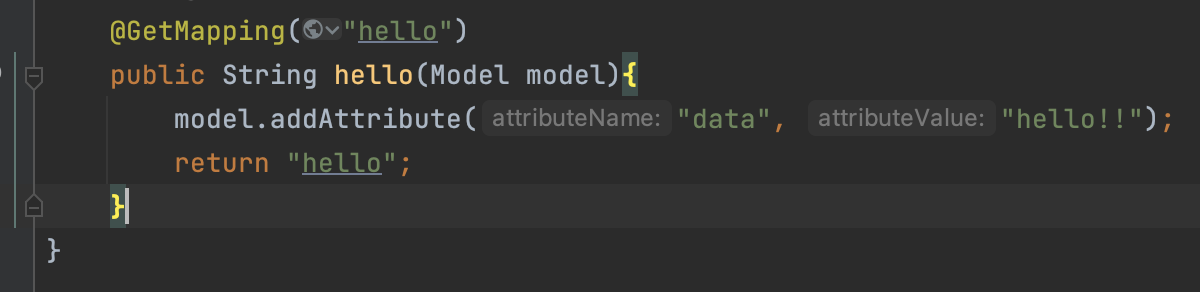
attributeName: 은 자동으로 따라 붙습니다. "data"만 입력해주시면 됩니다.
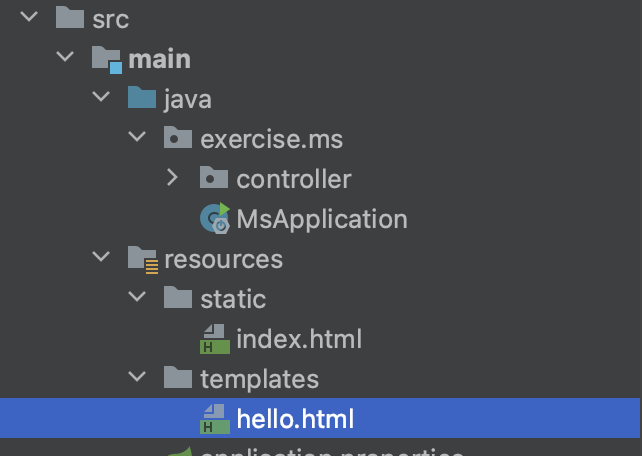
다음은 templates 폴더에 hello.html 파일을 만든 뒤
<!DOCTYPE HTML>
<html xmlns:th="http://www.thymeleaf.org">
<head>
    <title>Hello</title>
    <meta http-equiv="Content-Type" content="text/html; charset=UTF-8" />
</head>
<body>
<p th:text="'안녕하세요. ' + ${data}" >안녕하세요. 손님</p>
</body>
</html>
다음 코드를 저장해줍니다.
그리고 실행시켜주면,
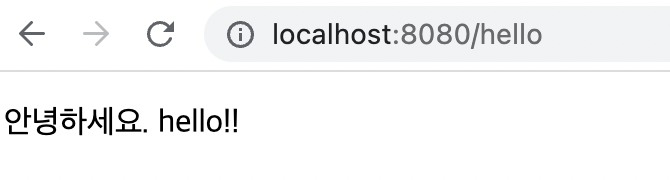
다음과 같은 페이지가 생성됩니다.
전체적인 동작 이해하기
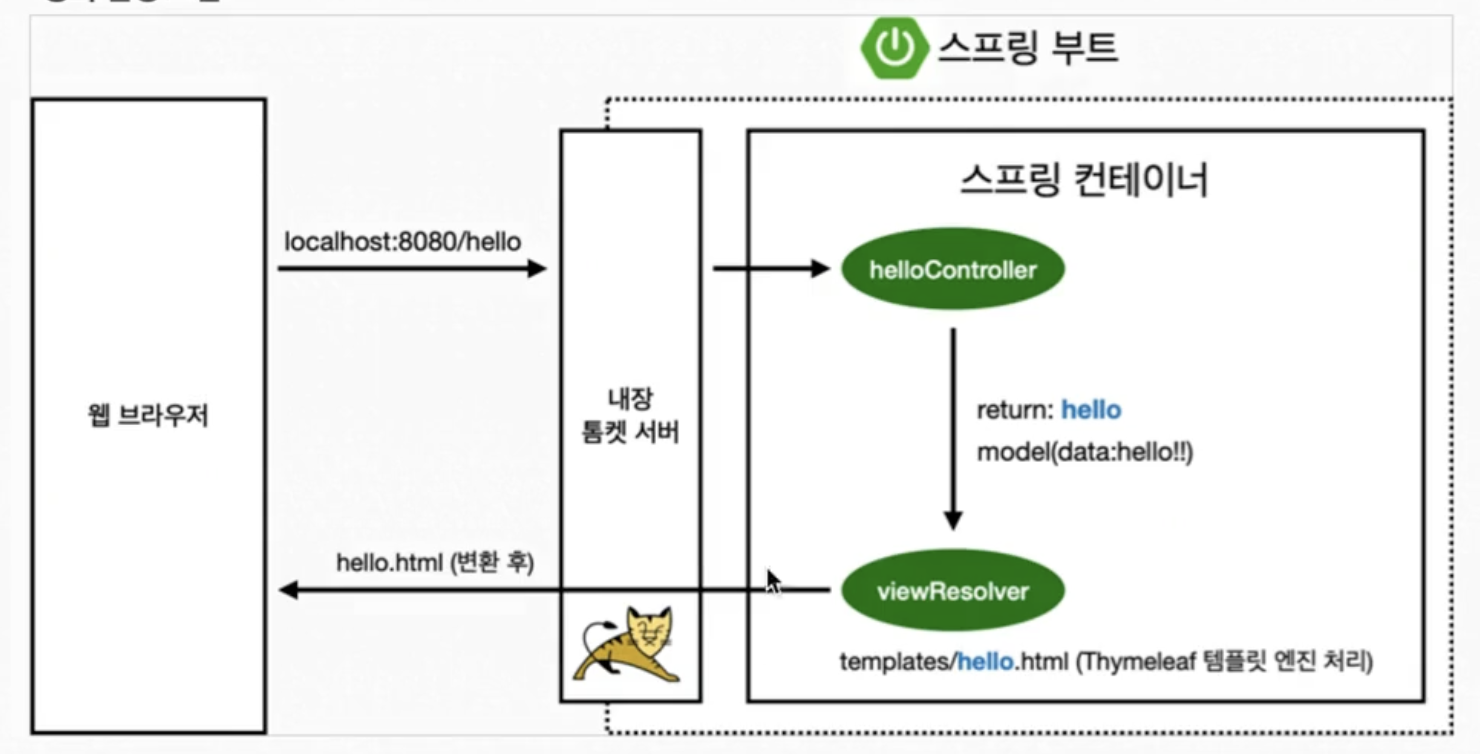
1.
GetMapping("hello")웹 브라우저에서 localhost:8080/hello 를 보내면 '톰캣'이라는 웹서버를 내장하고있는 스프링부트는 GetMapping함수로 "hello" url에 매칭이 되어 hello 매소드가 실행됩니다.
2.
public String hello(Model model)이때 model인자를 받는데, 이 model은 스프링이 만들어 넣어줍니다.
3.
model.addAttribute("data", "hello!!");이 코드는 key가 "data" 이고, 값이 "hello!!" 라고 이해하시면 됩니다. 값 자리에 들어갈 데이터는 필요에따라 데이터베이스에서 가져올 도 있습니다.
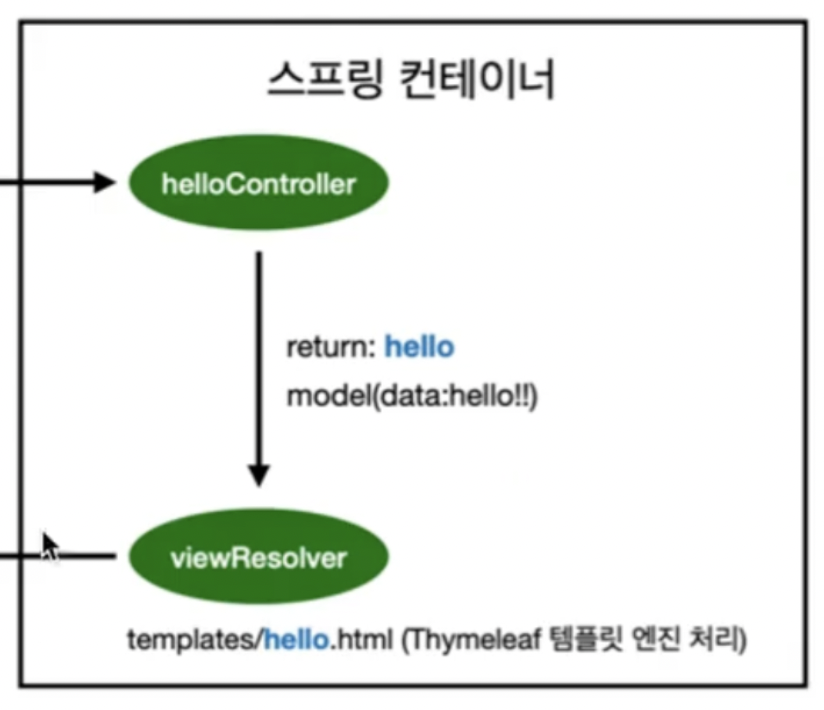
스프링 컨테이너를 보면 model에 hello!!라는 데이터값을 넣어준 걸 확인하실 수 있습니다.
4.
return "hello";마지막으로 "hello"를 리턴해줍니다.
-컨트롤러에서 리턴 값으로 문자를 반환하면 뷰 리졸버( 'viewResolver' )가 화면을 찾아서 처리합니다. 이 viewResolver는 기본적으로 스프링 부트 템플릿엔진 기본 viewName에서 매핑합니다.
<!DOCTYPE HTML>
<html xmlns:th="http://www.thymeleaf.org">
<head>
    <title>Hello</title>
    <meta http-equiv="Content-Type" content="text/html; charset=UTF-8" />
</head>
<body>
<p th:text="'안녕하세요. ' + ${data}" >안녕하세요. 손님</p>
</body>
</html>
직관적으로 아까 본 hello.html 코드에서 살펴보면, ${data}가 키 역할을 하여 데이터 값인 "hello!!"를 가져오는 단순한 원리입니다.
'Spring' 카테고리의 다른 글
| 6. API (Spring 6) (0) | 2023.04.01 |
|---|---|
| 5. MVC와 템플릿 엔진 (Spring 5) (0) | 2023.04.01 |
| 4. 스프링 웹 개발 기초 (Spring 4) (0) | 2023.03.31 |
| 3. 빌드하고 실행하기 (Spring 3) (0) | 2023.03.30 |
| 1. 개발환경 구축(Spring 1) (0) | 2023.03.29 |